A collage of MaliceTV screens around the neon M logo โ€” Home with a featured title, Music, Food, Games, Anime and PC Streaming.
Android TV boxes, phones & tablets

Everything you watch and play,
in one simple app.

MaliceTV turns a cheap Android TV box โ€” or the phone and tablet in your pocket โ€” into an all-in-one entertainment hub: your movies, shows & anime, a built-in retro game console, a recipe browser for the kitchen, and music with free internet radio, all in one clean app. Built for a remote and the big screen first, it now works with touch on phones and tablets too โ€” same app, one purchase. It ships neutral: no film or TV catalog is bundled โ€” you bring the metadata and sources you want, and everything stays on your device. The only content included is ours: original games and music we made, free with the app.

Why MaliceTV

Built for the big screen โ€” and your pocket

An all-in-one hub you fill in yourself โ€” media, games, recipes and music. Remote-friendly on the TV, touch-friendly on phones and tablets. Powerful when you connect it, calm when you don't.

MaliceTV shown as a neutral, open hub โ€” the app with no bundled catalog, ready for you to connect your own sources.

Yours to configure

A Neutral, Open Hub

MaliceTV ships empty โ€” no media catalog is bundled. You connect the services you already use, and everything you configure stays on your device. It's the interface; the content is yours.

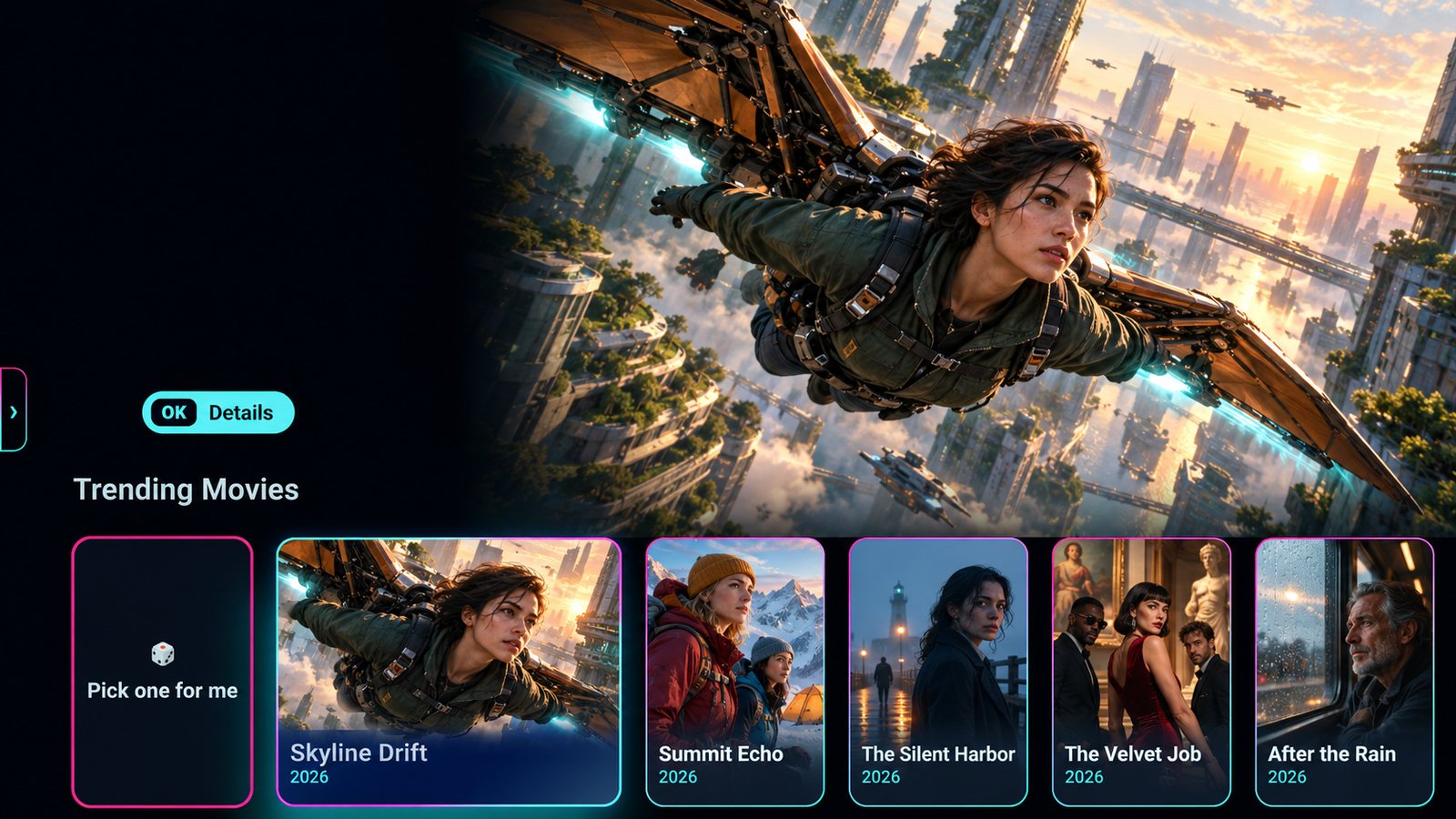
MaliceTV home screen โ€” a featured movie across the top with a Trending Movies row and a Pick one for me card below

Movies & TV

Movies, Shows & Anime

A polished 10-foot home for your movies, series and anime โ€” a featured hero, trending, continue-watching and genre rows. The built-in player supports common formats, up to 4K HDR where your source and device allow, all remote-friendly on the big screen.

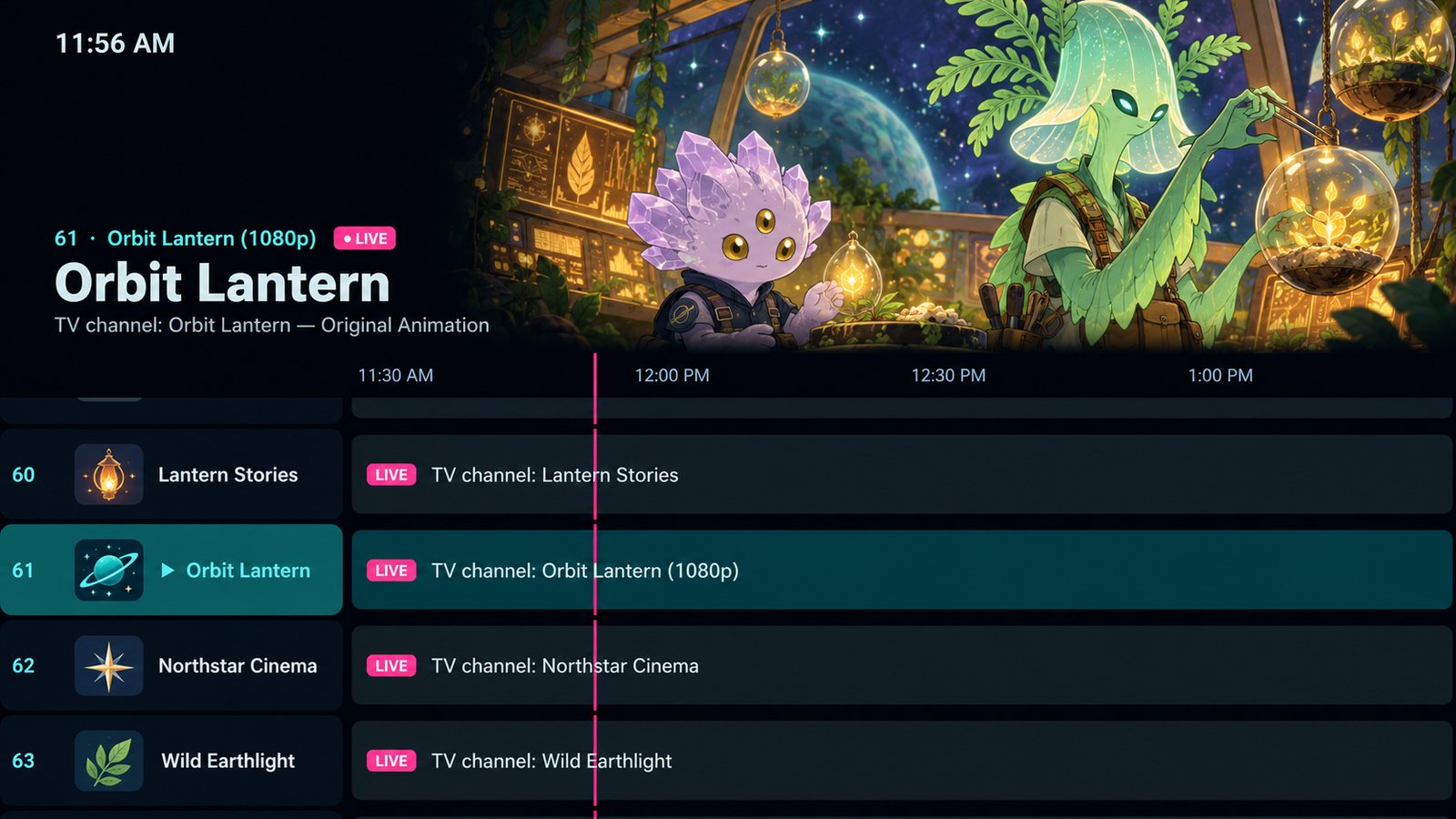
MaliceTV Live TV guide โ€” a channel's picture across the top, then a programme grid with channel numbers, logos and what's on now

Live TV

A Real TV Guide

Add the channels you already have โ€” a playlist or login from your TV service, or your own antenna through an HDHomeRun tuner โ€” and get a full programme guide with channel numbers, favourites and your own groups. Pro adds recording, pause and rewind, catch-up and Multiview with up to four channels at once. MaliceTV includes no channels of its own.

How Live TV works โ†’
A MaliceTV home screen on a TV โ€” a featured title with artwork, a Trending list and genre rows, for a real streaming-app feel from a free TMDB key.

Metadata

A Real Library Feel

A free TMDB key fills the app with posters, titles and descriptions, so browsing feels like a polished streaming service. Your key stays on your device โ€” never shared.

MaliceTV playback with an optional debrid service connected for faster, cleaner streams with less buffering.

Speed

Optional Debrid, Faster Streams

Already have a debrid account? Add its key for faster, cleaner playback with less buffering. Completely optional โ€” MaliceTV works fine without one.

MaliceTV Arcade โ€” the Malice Games wheel with Malice Mash highlighted, its cover art in the middle and a list of games on the right

Play

An Arcade Built In

Play our own original Malice Games โ€” many of them free โ€” on a game wheel made for the big screen. Plus a full retro game player: NES, SNES, Genesis, N64, PS1, Neo Geo and more. Bring your own cores and game files, grab a gamepad (up to 4 players), and keep favourites and playlists.

See Games โ†’
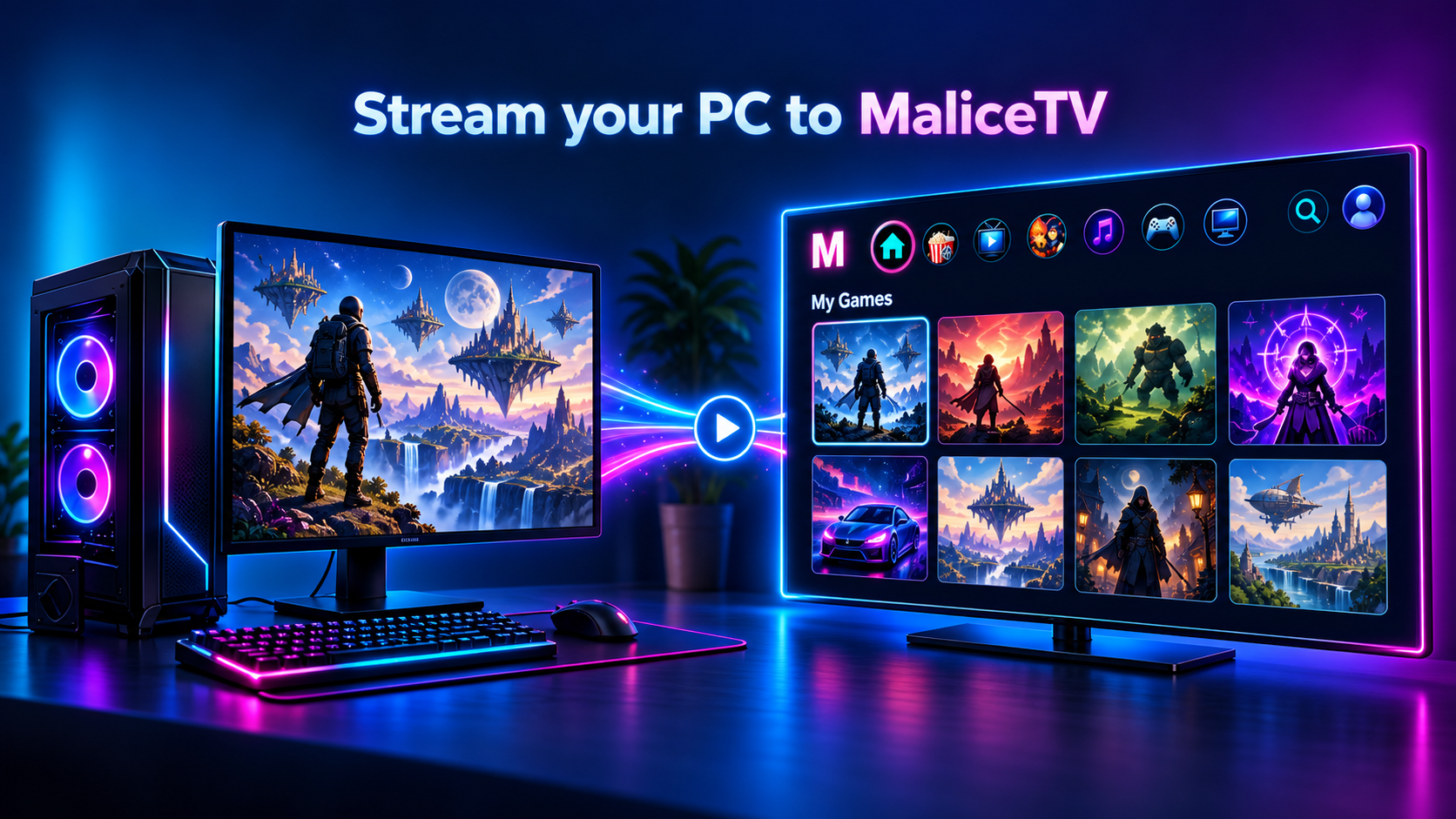
Stream your PC game collection to MaliceTV โ€” a gaming PC beaming its library of games to a TV running MaliceTV.

Stream

Stream Your PC Game Collection

Run the free MaliceTV Desktop app on your gaming PC and your library streams straight to the TV over your home network. Pair once with a PIN, then browse and pull your games onto the couch. Or stream the whole PC screen โ€” desktop, launcher and all โ€” with your mouse, keyboard and controller going back the other way.

Get the desktop app โ†’
MaliceTV Food โ€” a burger recipe with its ingredients on the left, the dish in the middle and the steps on the right, with more recipes below

Kitchen

Recipes on Your TV

A full recipe browser, couch-ready. Stop on any dish to see its ingredients and steps at a glance, then open it for the full recipe and its how-to video. Browse hundreds of dishes by category and cuisine, keep your own recipes in My Kitchen, build a grocery list, find meals from what's already in your fridge, and save favourites โ€” all from the remote.

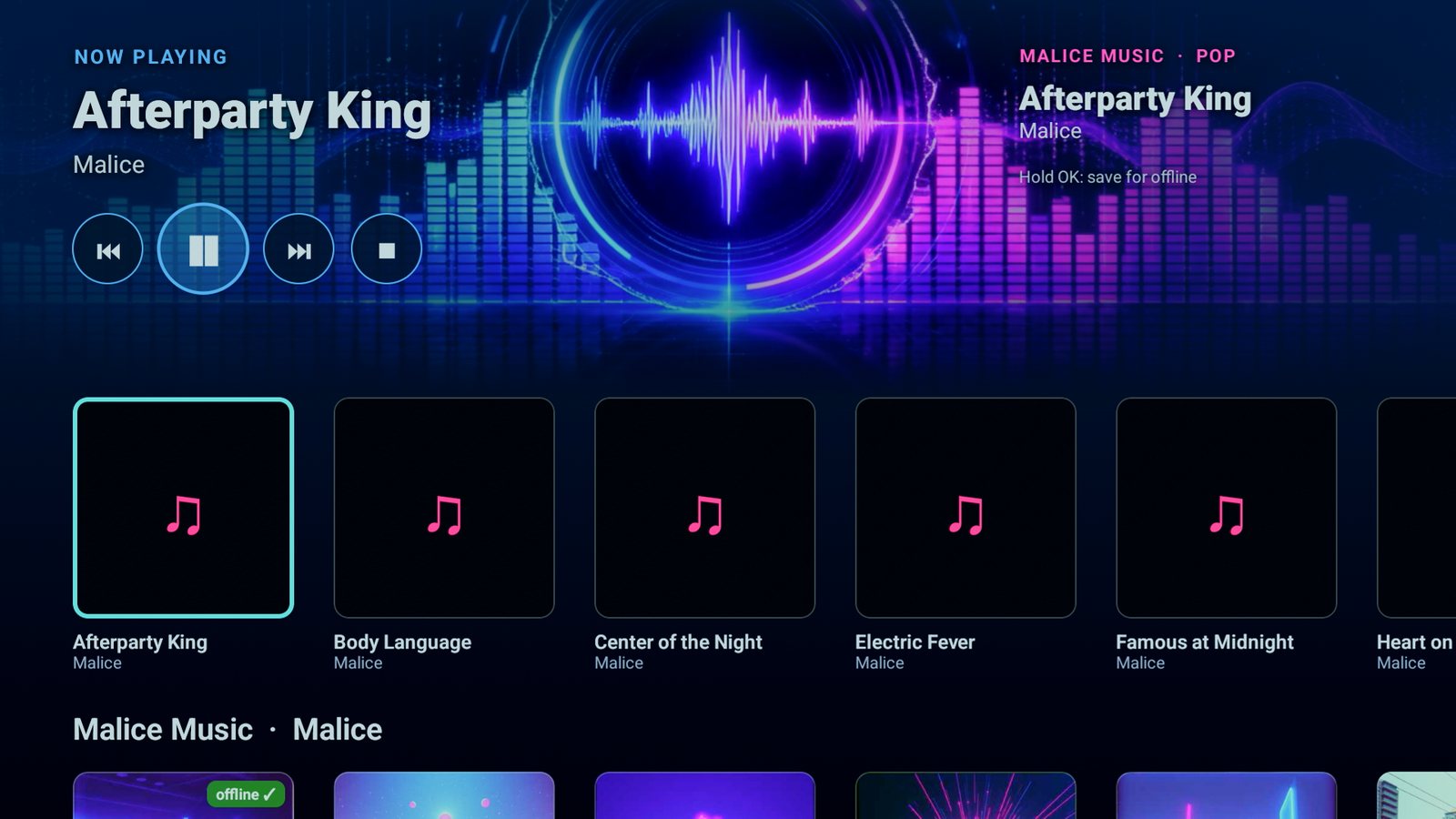
MaliceTV Music โ€” Now Playing with playback controls over a large neon equalizer, and rows of Malice Music songs below

Sound

Music & Internet Radio

Play our own Malice Music songs by genre, your own music straight off a USB drive, or thousands of free internet-radio stations โ€” with big, easy controls and a full-screen equalizer. Keep it playing while you browse recipes.

Malice โ€” Haag Labs
Runs on Android TV boxes, phones and tablets. The layout is built for a remote and the big screen first, and the same app installs and plays on a phone or tablet. iOS and desktop aren't supported yet.

The apps

Choose an app

More on the way. Each ships neutral โ€” you bring the sources.

Android TV ยท phone ยท tablet

MaliceTV

A clean 10-foot player for the big screen. Add your own metadata and sources, then browse and play from the couch.

Coming soon

Next app

Another tool is in the works. This slot is a placeholder โ€” a new card drops in here when it's ready.

Meet the Creator

Built by one person โ€” haagonthis

MaliceTV is a solo project. I'm a full-time Kick streamer who spent the last few months building this app day and night, on my own โ€” no studio, no team. Just someone who wanted one clean app that does it all on a cheap TV box. Every feature, fix, and update comes straight from me, and I'm always around to hear what you want next. Come hang out on stream and help shape where MaliceTV goes.

Watch Live

Catch me live on Kick

Building MaliceTV day and night โ€” hop in the stream, ask questions, and see what's next.

Ready in a few minutes

Add a free TMDB key and you're browsing. Add sources and debrid when you want playback.

Feedback

Found a bug?

MaliceTV is young and in active development. If something's broken, missing, or acting strange, let us know and we'll fix it. Tell us what happened and which device you're on.

This opens your email app with the details filled in, addressed to us. No account needed.

MaliceTV